-
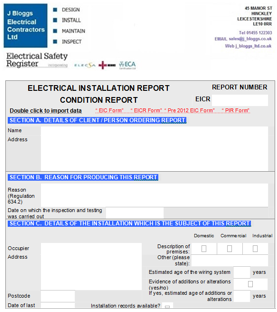
Client and Site Database - to fill
in the form in seconds
-
Backup/Restore/Import Files
-
Alter Form Heading Colours
-
Circuit Template Wizard for BS 7671
18th Edition Amd 4 Certs
-
Mouse/Tablet View Circuit Wizard
-
Max Zs
calculation for TT Earthing Arrangements
-
Auto fill circuit
numbers
-
Option to add data
from individual manufacturers with own overcurrent protection values.
-
Populate single phase or
3-phase circuits quickly to certificate
-
Auto calculates Max
Zs values
-
Speed fill
inspection schedule and observations.
-
Integrated
Contractor database and stored electronic signature facility
-
Date Selector
-
Dropdown boxes for
continuity/insulation resistance in Test Results
-
Improved range of Max Zs calculations for BS 3036, 1361, 1362
-
2 signature Minor Works Certificate.
-
Calculates Max Zs values
for TT Earthing arrangements and 0.2 disconnection times.
-
New:
EICR - FOR THE PRIVATE RENTED SECTOR
-
Sign All button - sign all name, position,
signature, date, and company address details in a single click.
-
Add/Merge Continuation
Sheets -
create Continuation
Sheet(s) automatically importing the relevant information from
the main certificate. You can merge them back into the
main certificate later.
-
Add/Merge
Sub Distribution Board pages -
create Sub Distribution
Board Form(s) automatically from the main certificate. You can
merge them back into the main certificate later.
-
Filldown facility
- enables you to fill down common values down the table columns.
-
Auto copy C1/C2/C3 information
to Observations area
of the Electrical
Inspection Condition Report form
-
Import Data from old forms.
Information
from previously saved Hollycroft software certificates can be
imported to a new cert. Data can be imported between EICR
Reports to EIC Certificates and even from old PIR Report.
Old Max Zs values are auto adjusted to new 18th Edition values.
-
Save the forms to the cloud
and share
with your staff.
-
Duplicate
previous row facility
for circuit and test result tables.
-
Facility to highlight cells and text in red.
-
Email certificates
to your customers
The certificates can
be quickly converted to PDF for you to securely email to the
client.
-
Create templates
of all of your certificates
The software enables
you to create customised templates of each certificate which
can include your company letterhead, company details and test
instruments plus any default information you wish to include.
You can also customise the form headings colouring to match
your company letterhead colours.
-
Add Additional
Observations pages and auto adjust page numbering (EICR)
-
Auto insert
ticks or N/As to blank fields in Inspection Schedule.
Populate
the inspection schedule blank spaces with N/As or ticks
very quickly